Mnemosyne metacognitive learning tool - knowledge mapping and spaced repetition For Individual Learners

The AI Tutor That Adapts to Your Learning Style

Built in Montreal, Mnemosyne is an AI tutor that learns how you learn. Study any subject at your own pace with five evidence-based strategies — knowledge mapping, spaced repetition, the Feynman technique, Socratic questioning, and formative assessment. Your data stays in Canada. Always.

No credit card required

AI Agents Working Together

Virtual Lab Experiments

Interactive Diagram Types

Curriculum-Aligned Exercises

Why Metacognitive Learning Strategies Work

Mnemosyne is built on five evidence-based learning strategies used by cognitive scientists, top students, and medical professionals worldwide.

Knowledge Mapping: See How Ideas Connect

Knowledge mapping is a visual learning strategy where you organise information as a network of connected nodes. Research by Novak & Cañas (2006) shows that creating concept maps activates meaningful learning by forcing you to identify relationships between ideas rather than memorising them in isolation. Mnemosyne generates these maps automatically as you explore any subject.

Novak, J. D. & Cañas, A. J. (2006). The Theory Underlying Concept Maps.

Spaced Repetition: Remember What You Learn

Spaced repetition is a review technique that schedules reminders at increasing intervals, right before you would naturally forget. Based on Ebbinghaus's forgetting curve and refined by the SM-2 algorithm, it has been shown to increase long-term retention by up to 200% compared to massed study (Cepeda et al., 2006). Mnemosyne's built-in spaced repetition system tracks every concept you explore and tells you when to review.

Cepeda, N. J. et al. (2006). Distributed Practice in Verbal Recall Tasks.

The Feynman Technique: Prove You Understand

Named after Nobel physicist Richard Feynman, this technique asks you to explain a concept in simple language. If you struggle to simplify it, you have found a gap in your understanding. Studies on the generation effect (Slamecka & Graf, 1978) confirm that actively producing explanations strengthens memory traces far more than passive review. Mnemosyne lets you practise the Feynman technique for any concept on your map.

Slamecka, N. J. & Graf, P. (1978). The Generation Effect.

Socratic Questioning: Think It Through

Instead of giving you the answer, Mnemosyne asks guiding questions that lead you to discover it yourself. This method, rooted in Socratic dialogue, develops critical thinking by prompting you to clarify assumptions, examine evidence, and consider alternative perspectives. Research by Paul & Elder (2007) shows that systematic questioning builds deeper reasoning skills than direct instruction alone.

Paul, R. & Elder, L. (2007). Critical Thinking: The Nature of Critical and Creative Thought.

Formative Assessment: Know Where You Stand

Mnemosyne tests your understanding with adaptive quizzes that adjust difficulty based on your performance. Formative assessment — low-stakes testing used for learning, not grading — is one of the most effective educational interventions known. Black & Wiliam's landmark review (1998) found that it can double the speed of learning by helping students identify gaps and focus their effort where it matters most.

Black, P. & Wiliam, D. (1998). Assessment and Classroom Learning.

Knowledge Mapping in Action: From Question to Understanding

Watch how Mnemosyne turns a single question into a visual knowledge map, building connections as you learn

Mnemosyne Session 12
What is photosynthesis and why is it important?
Can you show me the chemical equation?
Deeper
What is chlorophyll?
Wider
How do ecosystems depend on this?
Practical
Why are leaves green?
Quiz Me
Test your understanding
Feynman technique
Explain it back to me
Photosynthesis
Actions
Customise Colour
Summary
The process by which plants convert light energy into chemical energy, producing glucose and oxygen from CO2 and water.
Photosynthesis Light Energy Chloroplasts CO2 + H2O Glucose + O2 ATP Energy Sunlight Thylakoid
+
Click any node to explore options

In this interactive demonstration, a learner asks about photosynthesis. Mnemosyne provides a clear explanation while simultaneously building a visual knowledge map showing how concepts like light energy, chloroplasts, CO2, glucose, and ATP connect. Each node on the map can be clicked to see a summary, mark concepts as mastered, or explore deeper. This is how knowledge mapping turns passive reading into active learning.

How Metacognitive Learning Works in Three Steps

No rigid curriculum. No predetermined paths. Just you, your curiosity, and a system that adapts to how you think.

1

Ask Anything: Start With Your Curiosity

Start with whatever sparks your curiosity. Get a direct, clear answer - no gatekeeping, no prerequisites. Whether it is organic chemistry, ancient history, or machine learning fundamentals, Mnemosyne adapts to your subject and level.

2

Branch & Explore: Build Your Knowledge Map

Open any concept in its own tab. Explore multiple threads simultaneously. Your visual knowledge map grows organically, showing you exactly how deep and wide your understanding has become.

3

Master & Remember: Spaced Repetition at Work

Spaced repetition ensures you retain what you learn. Quiz yourself, explain concepts back, watch your mastery grow. The SM-2 algorithm identifies the optimal review moment for each concept, ensuring nothing falls through the cracks.

Spaced Repetition and the Feynman Technique: Test What You Know

Two evidence-based strategies to verify deep understanding and strengthen long-term memory

Q
Quiz Me
What is the primary purpose of chloroplasts in photosynthesis?
A
Store water for the plant
B
Capture light energy and convert it to chemical energy
C
Transport nutrients through the plant
D
Protect the plant from insects
F
Feynman Technique
Explain photosynthesis in your own words, as if teaching it to someone who has never heard of it before.

The Quiz mode uses multiple-choice questions generated from your learning session to test recall. The Feynman Technique mode asks you to explain concepts in your own words, a method proven to reveal gaps in understanding. Both modes feed into Mnemosyne's spaced repetition system, scheduling future reviews based on how well you performed.

Visual Learning for Mathematics and STEM Subjects

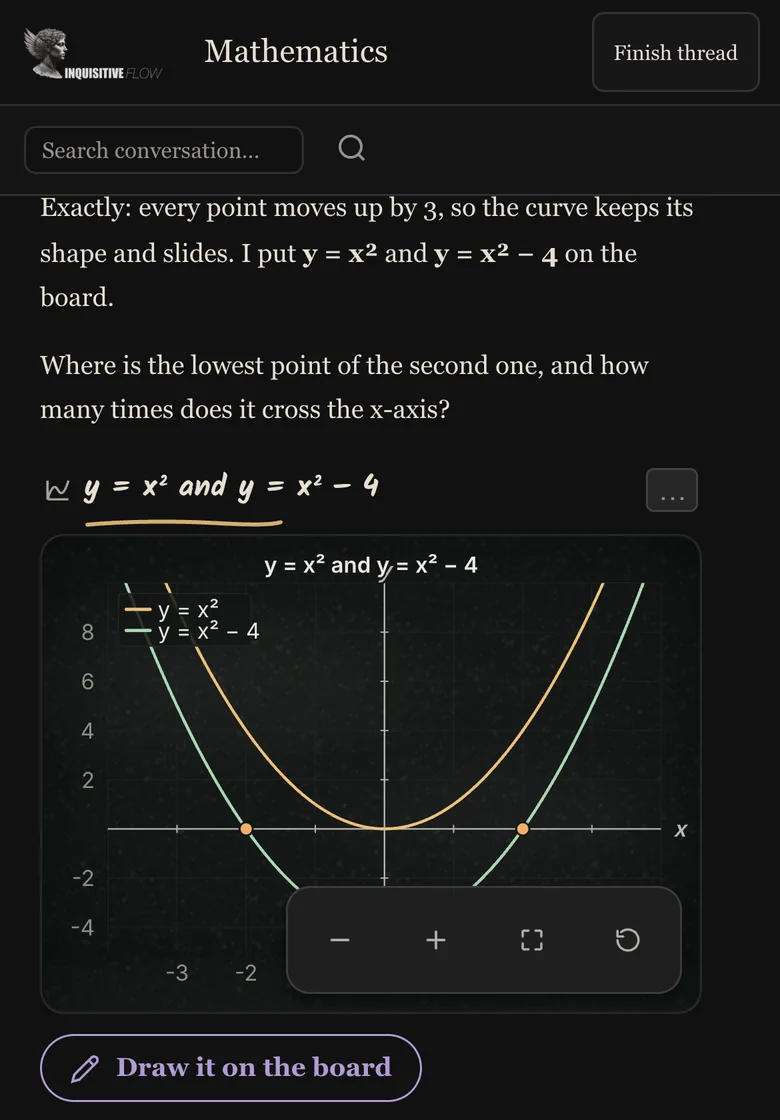
Ask about any equation, function, or formula and Mnemosyne generates interactive visualisations with annotated key points

Graph y = x squared minus 4 and show me the key points
This is a parabola that opens upward. The vertex is at (0, -4), which is the minimum point. The curve crosses the x-axis at x = -2 and x = 2 (the roots). Here's the visualisation:
Graph of y = x² - 4
x y -4 -2 2 4 4 -4 (-2, 0) Vertex (0, -4) (2, 0)
Interactive graphs auto-generate for functions, physics, and geometry

Mnemosyne automatically generates graphs for mathematical functions, physics equations, and geometric concepts. Each graph highlights key features like roots, vertices, and intercepts. This visual approach makes abstract mathematical concepts concrete, helping students build intuition alongside procedural knowledge.

Metacognitive Learning Features Built for Deep Understanding

Every feature is designed for deep understanding, not shallow memorisation.

Visual Knowledge Maps

See how concepts connect in real-time with interactive 2D and 3D knowledge maps. Every topic you explore becomes a node on your map, with edges showing relationships between ideas. As your map grows, you can instantly identify clusters of mastery and areas that need more attention. Knowledge mapping transforms abstract learning into something you can see and navigate.

Multi-Channel Exploration

Open any concept in its own dedicated channel tab without losing your current thread. Explore multiple related topics simultaneously, just as your brain naturally makes connections across ideas. Each channel maintains its own conversation history and contributes to your unified knowledge map.

Spaced Repetition

Mnemosyne uses the SM-2 spaced repetition algorithm to schedule concept reviews at scientifically optimal intervals, right before your memory would naturally decay. Your dashboard shows which concepts are due for review, how many you have mastered, and your current learning streak. No more cramming. No more forgetting.

AI Tutor Modes

Switch between direct explanation, Socratic questioning, and assessment mode. Each adapts to the subject complexity and your demonstrated level of comprehension.

Session Summaries

End each session with a detailed summary: concept mastery badges, strengths identified, misconceptions caught, and recommended next steps. See exactly what you learned and where to go next.

Formative Learning Insights

Your dashboard shows areas to review with mastery percentages, misconceptions to clear up, and recent breakthroughs. A live pulse on how well you actually understand each topic.

Personal Pedagogical Profile

Track your Bloom's Taxonomy level, VARK learning style, Zone of Proximal Development, metacognition metrics, and growth mindset indicators. Understand not just what you know, but how you learn.

Levels, XP, and Avatars

Earn XP for every concept mastered, level up through learning milestones, and unlock avatar cosmetics. Gamification that rewards understanding, not just screen time.

80+ Interactive Diagrams

Mnemosyne automatically generates interactive diagrams for any subject — from molecular structures and circuit diagrams to calculus visualizations and force diagrams. Over 80 renderer types cover K-12 through PhD-level content across math, physics, biology, chemistry, engineering, and social sciences. No setup needed — the AI detects when a visual would help and creates it instantly.

5 Learning Depth Levels

Choose your learning intensity for every session. Start with Basics for clear introductions, move to Go Deeper for detailed explanations, switch to Explain and Practice for hands-on exercises, ramp up to Challenge Me for advanced problems, or enter Research mode for deep dives into original papers. Your AI tutor adapts its entire approach to match your chosen depth.

Drawing and Handwriting Input

Sketch diagrams, write equations by hand, or draw molecular structures directly in your learning session. The built-in canvas supports pen, touch, and stylus input with pressure sensitivity. Your handwriting is recognized using advanced OCR and converted into text that the AI tutor can understand and respond to. Perfect for math, chemistry, and visual problem-solving.

Tributaries: Branch Your Learning

After every AI response, three exploration paths appear: Deeper to dive into the current topic, Wider to explore related concepts, and Applied to see real-world applications. Tributaries let you follow your curiosity naturally, building a richer knowledge map with every branch you take.

Quebec Curriculum Aligned

Mnemosyne integrates the full Quebec curriculum tree from elementary through CEGEP and university. Browse subjects, explore prerequisites, and access exercises aligned to provincial learning objectives. Every curriculum node connects to AI-powered explanations, practice problems, and your personal knowledge map — turning the official curriculum into an interactive learning experience.

Adaptive Pace Control

After each AI response, adjust the learning pace in real time with Slower and Faster buttons. Slower gives you more detail, additional examples, and step-by-step breakdowns. Faster condenses explanations and moves you forward more quickly. Combined with the 5 depth levels, pace control gives you complete authority over how you learn.

Scientific Calculator

A full scientific calculator built into your learning dashboard. Trigonometric, logarithmic, and exponential functions, constants, memory storage, and persistent history. Solve problems without leaving your session — results can be inserted directly into chat.

Graphing Calculator

Plot up to 5 functions simultaneously with colour-coded curves. Supports trigonometric, logarithmic, polynomial, and custom functions. Zoom, pan, trace coordinates, and export your graphs as PNG images. Built for STEM students who need to visualise functions alongside their learning.

Unit Converter

Convert between over 100 units across 12 categories — length, mass, temperature, speed, area, volume, time, energy, pressure, data, force, and angle. Live conversion with formula display. Save your most-used conversions as favourites for quick access.

Interactive Periodic Table

Explore all 118 elements with search, category filtering, and detailed information panels. See atomic mass, electron configuration, electronegativity, and phase at STP. A temperature slider visualises phase changes across the entire table. Built for chemistry students at every level.

Study Timer (Pomodoro)

Focus with the Pomodoro technique — customisable focus, short break, and long break durations with auto-start options. Circular progress visualisation, browser notifications, session tracking, and daily statistics. Keeps running in the background so you never lose your streak.

Who Uses Mnemosyne: Study Tool for Every Kind of Learner

Whether you're a student, professional, or lifelong learner.

Students

University and college students use Mnemosyne to tackle challenging courses like organic chemistry, constitutional law, and advanced calculus. Instead of rereading textbooks, they ask questions, build knowledge maps of course material, and use spaced repetition to prepare for exams. The visual knowledge map helps them see connections between lecture topics that they would otherwise miss.

See student features

Professionals

Professionals in fields like medicine, engineering, finance, and software development use Mnemosyne to learn new technologies, prepare for certifications, and stay current in rapidly evolving fields. The research mode lets them explore topics with real-time web sources, while knowledge mapping helps them connect new information to existing expertise.

Learn about our method

Lifelong Learners

Curious minds who love learning for its own sake use Mnemosyne to explore subjects like philosophy, astronomy, world history, and music theory. There are no prerequisites and no syllabi; you follow your curiosity wherever it leads. The Feynman technique helps you go beyond surface understanding, and the knowledge map becomes a visual record of your intellectual journey.

Read our philosophy

Your AI-Powered Learning Dashboard with Built-In STEM Tools

Start sessions, review concepts, and access a full suite of scientific tools — all in one place

Scholar
Hey Elias! Ready to learn something awesome?
Inquisitive Flow Learning
Start Learning Session
Explore a new topic with your AI tutor
Daily Review
3 concepts due for review
3
Create Diagram
80+ interactive visuals
Scientific Calculator
Advanced math tools
Unit Converter
12 categories, 100+ units
Graphing Calculator
Plot and explore functions
Study Timer
Pomodoro technique
Periodic Table
All 118 elements
Your Sessions
P
Understanding Photosynthesis
Today, 2:34 PM · 12 messages · 8 concepts
M
Machine Learning Basics
Yesterday · 8 messages · 5 concepts
O
Organic Chemistry Reactions
Mar 18 · 15 messages · 12 concepts

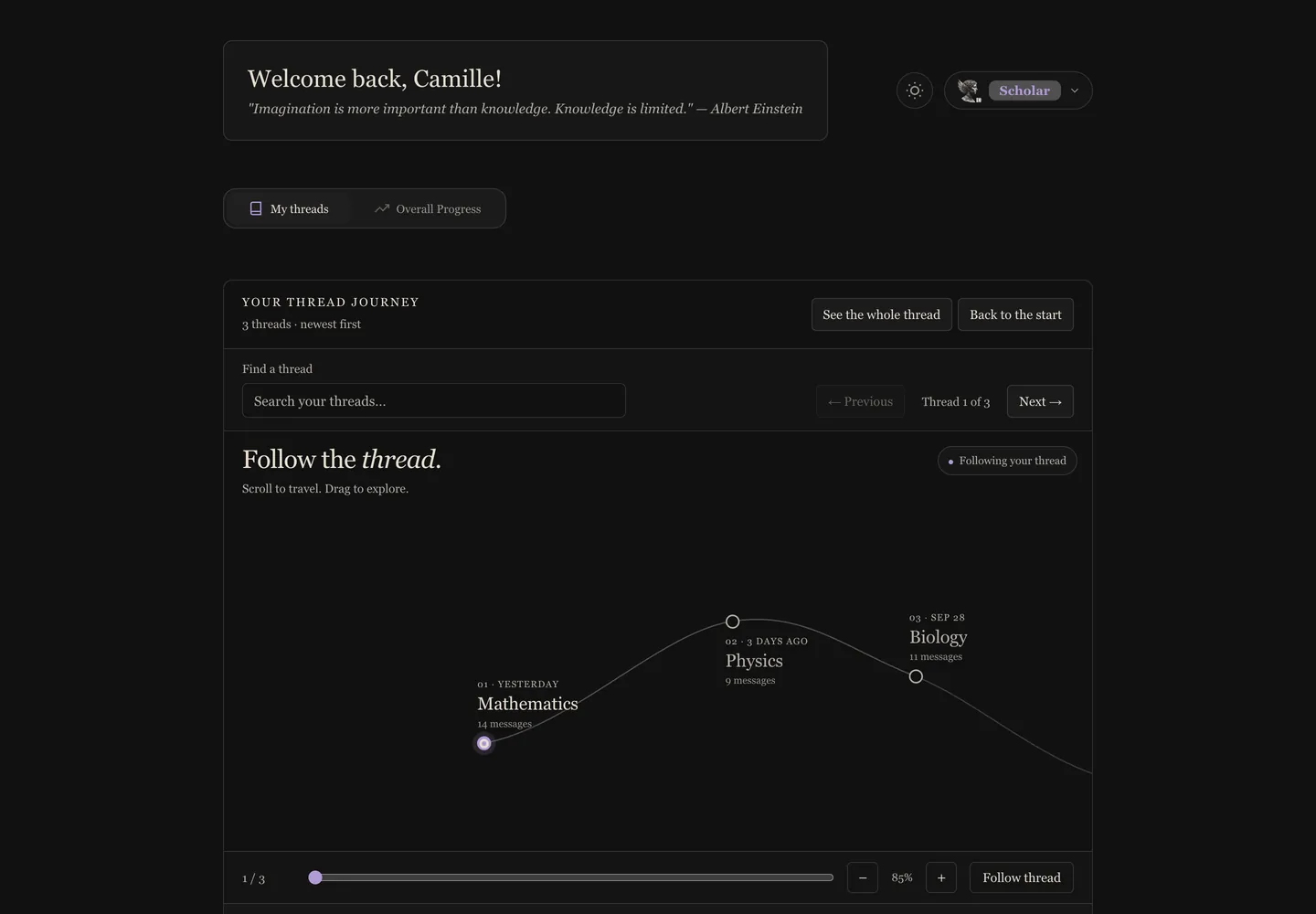
The Mnemosyne dashboard is your learning command centre. Start AI tutoring sessions, review concepts due for spaced repetition, and access built-in STEM tools — scientific calculator, graphing calculator, unit converter, periodic table, interactive diagram creator, and Pomodoro study timer. Everything a student needs, in one place.

Interactive Periodic Table with Phase Visualization

Explore all 118 elements with search, category filtering, and a temperature slider showing phase changes

Periodic Table
1H
2He
3Li
4Be
5B
6C
7N
8O
9F
10Ne
11Na
12Mg
13Al
14Si
15P
16S
17Cl
18Ar
8
O
Oxygen
Atomic Mass15.999
CategoryReactive Nonmetal
Phase (STP)Gas
Electronegativity3.44

Graphing Calculator: Plot and Explore Functions Visually

Plot up to 5 functions simultaneously with trace mode, zoom, pan, and PNG export

Graphing Calculator
f(x) =sin(x)
g(x) =0.5x
h(x) =Enter function...
x y π (-1.18, 0.93)

Scientific Calculator: Advanced Math at Your Fingertips

Trigonometry, logarithms, constants, memory storage, and history — no app switching needed

Scientific Calculator
sin(π/4) × √2
= 1
RAD DEG
History
cos(π) = -1
log(1000) = 3
e^2 = 7.389

Simple, Transparent Pricing

Start free. Upgrade when you need more.

Explorer

$0 /forever
  • 10 messages per month
  • 1 quiz + 1 Feynman check per month
  • 1 saved session
  • Periodic Table
  • Unit Converter
  • Interactive Mindmaps
  • Quebec curriculum aligned
Get Started

Sage

$29.99 /month CAD
  • 300 messages per month
  • 50 saved sessions
  • 365-day history
  • Everything in Scholar
  • 25 quizzes per month
  • 12 Feynman checks per month
  • 40 research queries per month
  • All export formats
  • Research Mode
Go Sage
Feature Explorer Scholar Sage
AI Tutor Messages 10/mo 150/mo 300/mo
Interactive Mindmaps
Daily Review
Periodic Table
Unit Converter
Scientific Calculator
Formula Sheet
Study Timer
Flashcard Creator
Graphing Calculator
Diagram Editor View Full Full
Drawing Input
Quizzes 8/mo 25/mo
Feynman Checks 4/mo 12/mo
Research Mode 40/mo
Saved Sessions 1 15 50
Session History 7 days 180 days 365 days
Export (PNG/Markdown)
Export (HTML/SVG/PDF)
Quebec Curriculum Aligned

Frequently Asked Questions About Mnemosyne

Everything you need to know about metacognitive learning with Mnemosyne.

What is Mnemosyne and how does it work?
Mnemosyne is a metacognitive learning tool built by Inquisitive Flow Learning in Canada. You start by asking a question about any subject. The tool provides a clear explanation and simultaneously builds a visual knowledge map showing how concepts connect. As you explore deeper, your map grows. The system uses spaced repetition (SM-2 algorithm) to schedule concept reviews at optimal intervals, and the Feynman technique to help you verify your understanding by explaining concepts in your own words.
What is metacognitive learning?
Metacognitive learning means learning about your own learning process. Instead of passively absorbing information, metacognitive strategies help you monitor comprehension, identify gaps, and actively strengthen weak areas. Mnemosyne implements five core metacognitive strategies: knowledge mapping (visualising concept relationships), spaced repetition (reviewing at scientifically optimal intervals), the Feynman technique (testing understanding by explaining concepts simply), Socratic questioning (guided discovery through strategic questions), and formative assessment (adaptive quizzes that identify gaps).
How is Mnemosyne different from ChatGPT or other AI chatbots?
Mnemosyne is not a chatbot. It is a structured educational tool that uses AI to power metacognitive learning strategies. While chatbots provide answers and move on, Mnemosyne builds a persistent knowledge map of everything you learn, tracks your mastery of each concept, schedules spaced repetition reviews, and offers the Feynman technique and quiz modes to test understanding. It is designed for deep, long-term learning rather than one-off answers.
What is spaced repetition and how does Mnemosyne use it?
Spaced repetition is a scientifically proven study technique that schedules reviews at increasing intervals. When you learn something new, Mnemosyne marks it for review. The first review might come the next day, then three days later, then a week, then a month. Each successful review extends the interval. This approach, based on the SM-2 algorithm, has been shown to dramatically improve long-term retention compared to cramming or massed practice.
Is Mnemosyne free to use?
Yes. Mnemosyne offers a free Explorer plan that includes 10 messages per month, one active session, periodic table, unit converter, and interactive mindmaps. No credit card is required. Paid plans (Scholar at $16.99 CAD/month and Sage at $29.99 CAD/month) unlock all 10 learning tools, more messages, saved sessions, export features, and research mode with real-time web sources.
What subjects can I learn with Mnemosyne?
Mnemosyne works with any subject. Users learn topics including mathematics, science, history, philosophy, programming, law, medicine, engineering, music theory, languages, and more. The tool adapts to the complexity and nature of the subject. For math and science, it generates interactive visualisations. For humanities and social sciences, it creates detailed concept maps showing relationships between ideas, events, and theories.
Where is my data stored? Is Mnemosyne safe for students?
All data is stored exclusively in Canada. Mnemosyne is PIPEDA compliant and Quebec Law 25 compliant. We use encryption for data at rest and in transit. We never use your learning data to train AI models. Mnemosyne is designed for users aged 16 and older. For younger students in school settings, we offer Aethon, our platform designed specifically for schools with additional safeguards and teacher oversight.
What is the Feynman technique and how does Mnemosyne implement it?
The Feynman technique, named after physicist Richard Feynman, is a learning strategy where you explain a concept in simple terms as if teaching it to someone else. If you struggle to simplify the explanation, it reveals gaps in your understanding. In Mnemosyne, you can activate the Feynman mode for any concept on your knowledge map. The tool prompts you to write your explanation, then provides feedback on accuracy and completeness, helping you identify exactly where your understanding breaks down.
Does Mnemosyne generate interactive diagrams?
Yes. Mnemosyne includes over 80 interactive diagram types that are generated automatically when the AI detects that a visual would help your understanding. These cover every major subject area: molecular structures for chemistry, circuit diagrams for physics, function graphs for calculus, anatomy diagrams for biology, force diagrams for mechanics, and many more. Diagrams are interactive — you can zoom, pan, and explore them. They cover content from elementary school through PhD-level research.
Can I draw or write by hand in Mnemosyne?
Yes, Scholar and Sage subscribers can use the built-in drawing canvas to sketch diagrams, write equations by hand, or draw structures. The canvas supports pen, touch, and stylus input with pressure sensitivity. Your handwriting is processed using OCR (optical character recognition) and converted into text that the AI tutor understands and responds to. This is especially useful for math, chemistry, and any subject where drawing helps you think.
Is Mnemosyne aligned with the Quebec curriculum?
Yes. Mnemosyne integrates the full Quebec curriculum from elementary through CEGEP and university levels. You can browse the curriculum tree, see prerequisites and connections between topics, and access exercises aligned to Quebec's provincial learning objectives. The AI tutor connects every curriculum node to explanations, practice problems, and your personal knowledge map, making it an ideal study companion for Quebec students.
How do I control the difficulty level in Mnemosyne?
Mnemosyne offers 5 depth levels you can set at the start of any session: Basics for simple introductions, Go Deeper for detailed explanations, Explain and Practice for hands-on exercises, Challenge Me for advanced problems, and Research for deep academic exploration. You can also use the Slower and Faster pace buttons after any AI response to adjust in real time. The AI tutor adapts its entire approach — vocabulary, detail level, and question complexity — to your chosen settings.

Stop Memorizing. Start Understanding.

Start building knowledge maps, mastering concepts with spaced repetition, and understanding subjects deeply with the Inquisitive Flow method. Free forever.